
Channel Changer
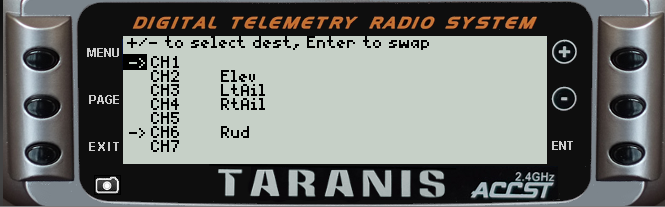
X9D screenshot
Channel Changer allows you to swap any two channels in the range CH11 - CH16. The script does all the hard work: it swaps the output names, min/max/subtrim, curves and all related mixers. By repeated swapping, any desired channel order may be achieved.
Typical uses include: altering the channel order to match existing servo connections, or freeing up CH5 for ELRS.
Download
Channel Changer v 1.7 (2026-01-26)
Requirements
- Any tx
- OpenTX 2.2 or EdgeTX 2.4 or later
Files
Download (right-click, save as)
The script is run from the Tools menu. Installation instructions are in the script.Limitations
Channel Changer doesn't update references to swapped channels. For sailplane templates without a motor, it's not an issue since the servo channels are not referenced elsewhere in the template.
However if the template has a motor channel and you swap that channel, then please scan through the logical switches and update any references to the old motor channel.